


There are industries everywhere that could benefit from wallet-native payment systems. As a consumer, I'm fed up with paying monthly subscriptions for products I only use occasionally. This is where usage-based billing really shines.
Usage-based billing isn't new. Cloud infrastructure providers have been using it for years, and utility companies paved the way long before that. However, it's only in the last couple of years with the rise of AI models like ChatGPT and Claude that more interest has been shown in usage-based billing.
These AI companies offer monthly subscription plans, but they're often heavily limited and still not profitable. For teams wanting to integrate AI into their products, the only option is the API route, which charges based on usage.
If you want to avoid your SaaS haemorrhaging money in AI costs, your best option is to provide usage-based billing to your customers as well. This way you can include the AI costs within your pricing and avoid eroding your profits.
Now I could show you how to use Credyt in your products with a step-by-step tutorial, but where's the fun in that?
As a developer, my job is to turn coffee into code. So why not turn code into coffee for a change?
The caffeinated concept
I spent a lot of my childhood playing tycoon games: Rollercoaster Tycoon, SimTower, and SimCity 2000 (in French, because I bought it from a French supermarket and didn't realize it wouldn't have an English option 🤦🏻♂️). This might be where my entrepreneurial instincts started.
I would love to make one of those games, but it was too ambitious considering I've never made a game before and only had a week to put something together.
A game that came out recently called “Dave the Diver” stoked these tycoon nostalgia vibes. By day, you fish, by night you sell sushi in a restaurant. Again, too large to make in a week. But the sushi restaurant part gave me an idea.
Instead of selling sushi, I would sell coffee and pastries. The profit earned from sales could then be used to buy more supplies and upgrade equipment.
The game mechanics would be straightforward. Start your day by buying inventory (coffee beans, milk, pastries). Open the shop and fulfil customer orders before they get impatient. The quicker you are, the higher the tip. Use the profits to upgrade equipment and buy more inventory.
Coffee Shop Tycoon was born.
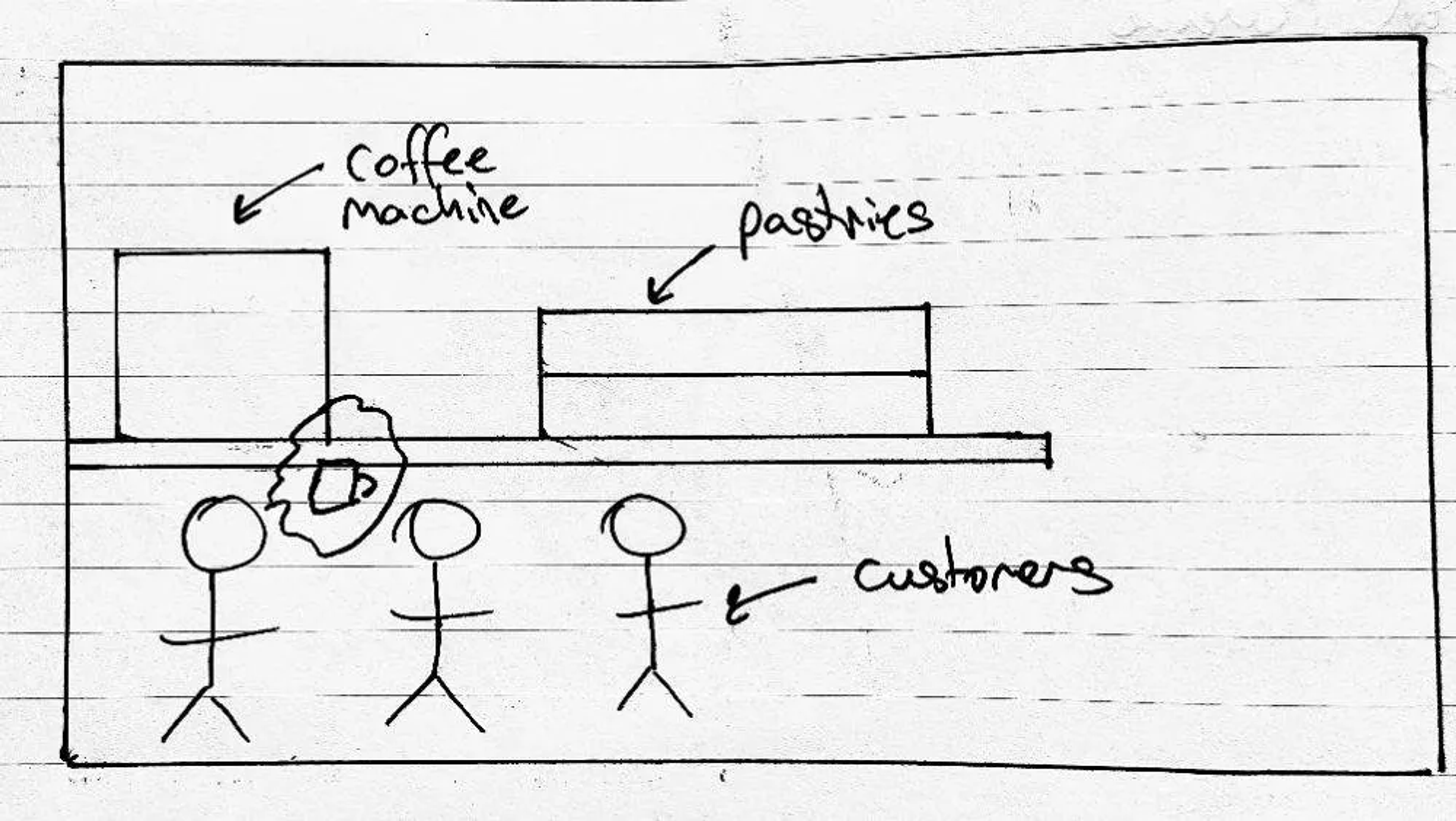
Unfortunately, my graphic design skills end at sketches, so I needed AI assistance to bring the concept to life.
Using Credyt for wallet management
Signing up for Credyt and configuring everything was straightforward. Once signed in, I copied my API key from the API Keys page and started creating my products.
Normally when you sign up to Credyt, you're the platform, and you're setting up products for your customers.
In my case, I wanted the game itself to be the platform, with my customers being the players creating their own franchised coffee shops.
As the platform, I would sell the inventory to the coffee shops and set prices on upgrades. I defined the following products:
| Product | Cost |
| Coffee Beans (per bag) | $29.99 |
| Milk (per gallon) | $3.99 |
| Croissant | $1.00 |
| Muffin | $0.80 |
| Cookie | $0.50 |
| Cake slice | $1.50 |
| Pro Barista Upgrade | $500 |
| Master Roaster Upgrade | $1000 |
| Medium Display Case | $60 |
| Large Display Case | $100 |
There are a few ways to configure this in Credyt. You can create separate products for each item or put them in the same product with dimensional pricing.
I used dimensional pricing, which let me define all my prices in one product file: credyt-product.json. I then sent this through to the products API to create my product.
When a user signs up to play the game, a new customer is created in Credyt with this product specified as the subscription:
{
  "name": "My Coffee Shop",
  "email": "test@example.com"
  "subscriptions": [
    {
      "products": [
        {
          "code": "coffee-shop-tycoon"
        }
      ]
    }
  ]
}
Each time the user restocks their coffee shop or buys an upgrade, I send an event to Credyt, which calculates the cost and debits the user's wallet.
{
  "customer_id": "cust_4329xc60d7n2f415y38bczf2nz",
  "events": [
    {
      "id": "11d2158b-9ee7-40c1-88a2-b18098f972c5",
      "event_type": "restock",
      "occurred_at": "2026-02-07T11:39:01.364259Z",
      "description": "Restock milk (2 units)",
      "data": {
        "item": "milk",
        "quantity": 2
      }
    }
  ]
}
For serving customers, I needed to credit the user's wallet for the price of the coffee or pastry plus the tip. For this, I'm using the adjustments endpoint to provide an external_topup for the user's wallet.
In the end, I only needed two endpoints to handle all credit and debit operations:
/eventsfor usage events corresponding to restock and upgrades/customers/{customerId}/wallet/adjustmentsfor purchases and tips
Building the game
I've never made a game before, but it's always been on my to-do list. I knew about a few game engines already, like Unity and Godot. I settled on Godot 4.6.
I had originally planned to use C# (my primary coding language), but I wanted to make a browser-based game. This isn't supported yet in 4.6 when using C#, so I had to use GDScript.
My game comprises three main components:
- Browser-based game built in Godot
- Backend API for user management and game mechanics built with Node
- Postgres database for storing game state
Having never used Godot or GDScript before, I relied heavily on AI to get everything wired up.
For the backend API, it did surprisingly well picking out the correct Credyt endpoints from our documentation. The exercise helped me find areas where we can improve to help those using LLMs to code.
After a lot of iteration, I had a working game, but the graphics weren't exactly filling me with the nostalgia I'd hoped for.
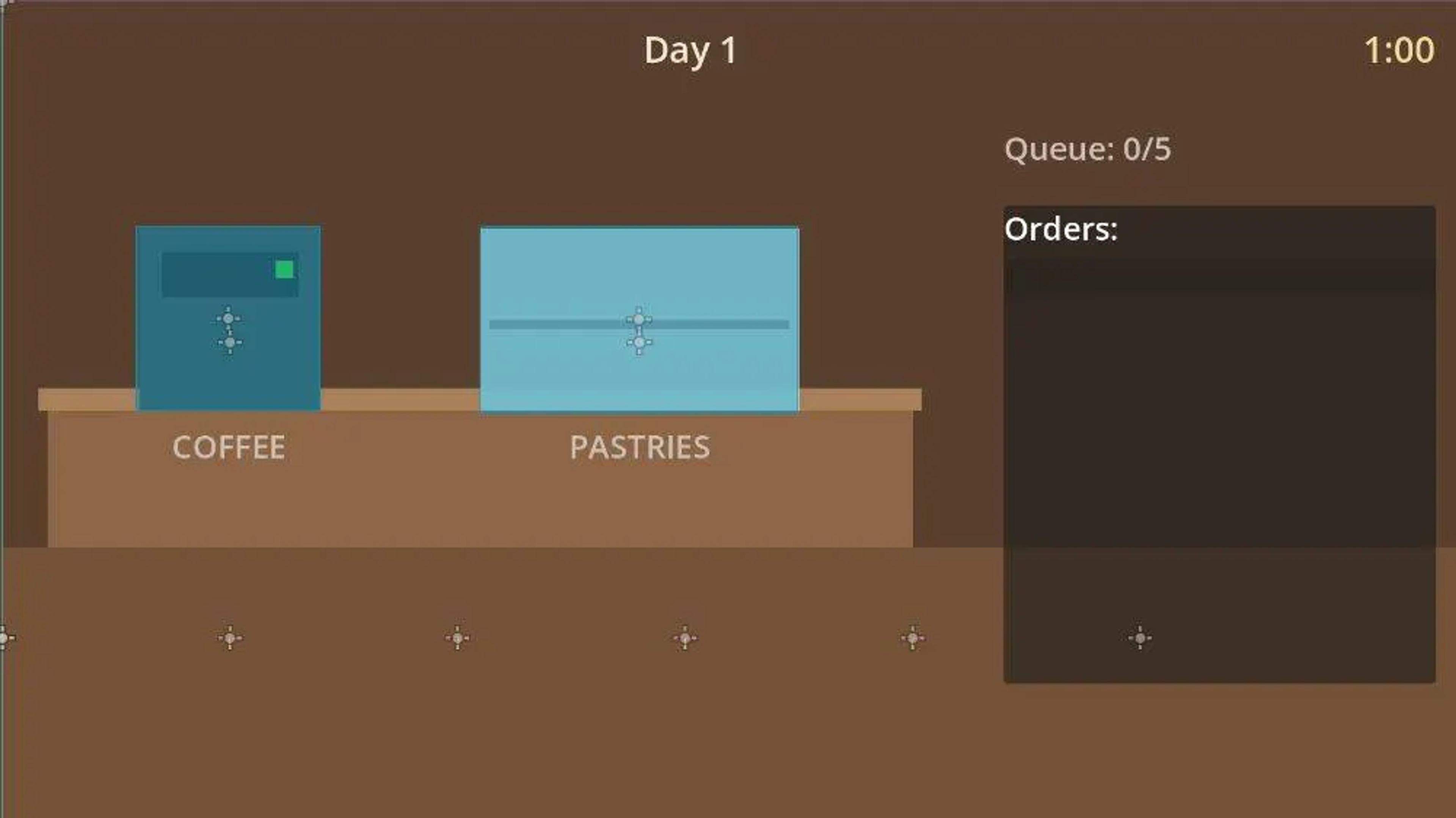
Generating graphics
I've always admired the skill that goes into creating pixel graphics for games. Unfortunately, I don't possess those skills. If I were releasing a paid game, I would make them from scratch. For demo purposes, AI would have to do.
I used a combination of Z-Image Turbo and Qwen Image Edit 2511 to generate the graphics for my coffee shop.
Qwen Image Edit is invaluable for editing images. I used it to create various versions of the coffee machines and display cases in the game. It was also useful for creating the main background for the coffee shop with no machines or display cabinets.
Before I could use any of the images, I had to make the backgrounds transparent and clean up all the edges. This part still had to be done by hand. It also gave me the opportunity to fix parts of the images that were AI-mangled.
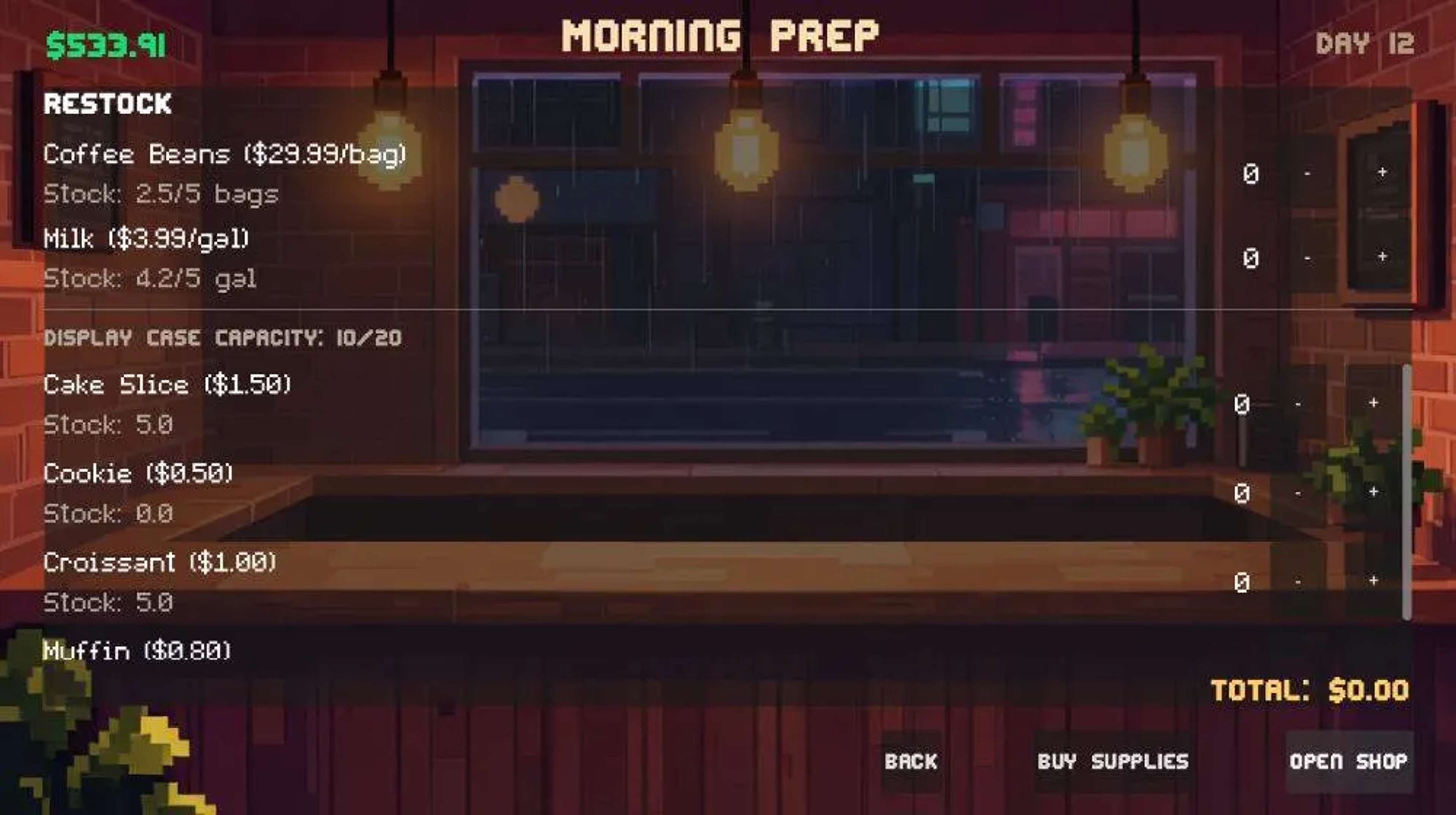
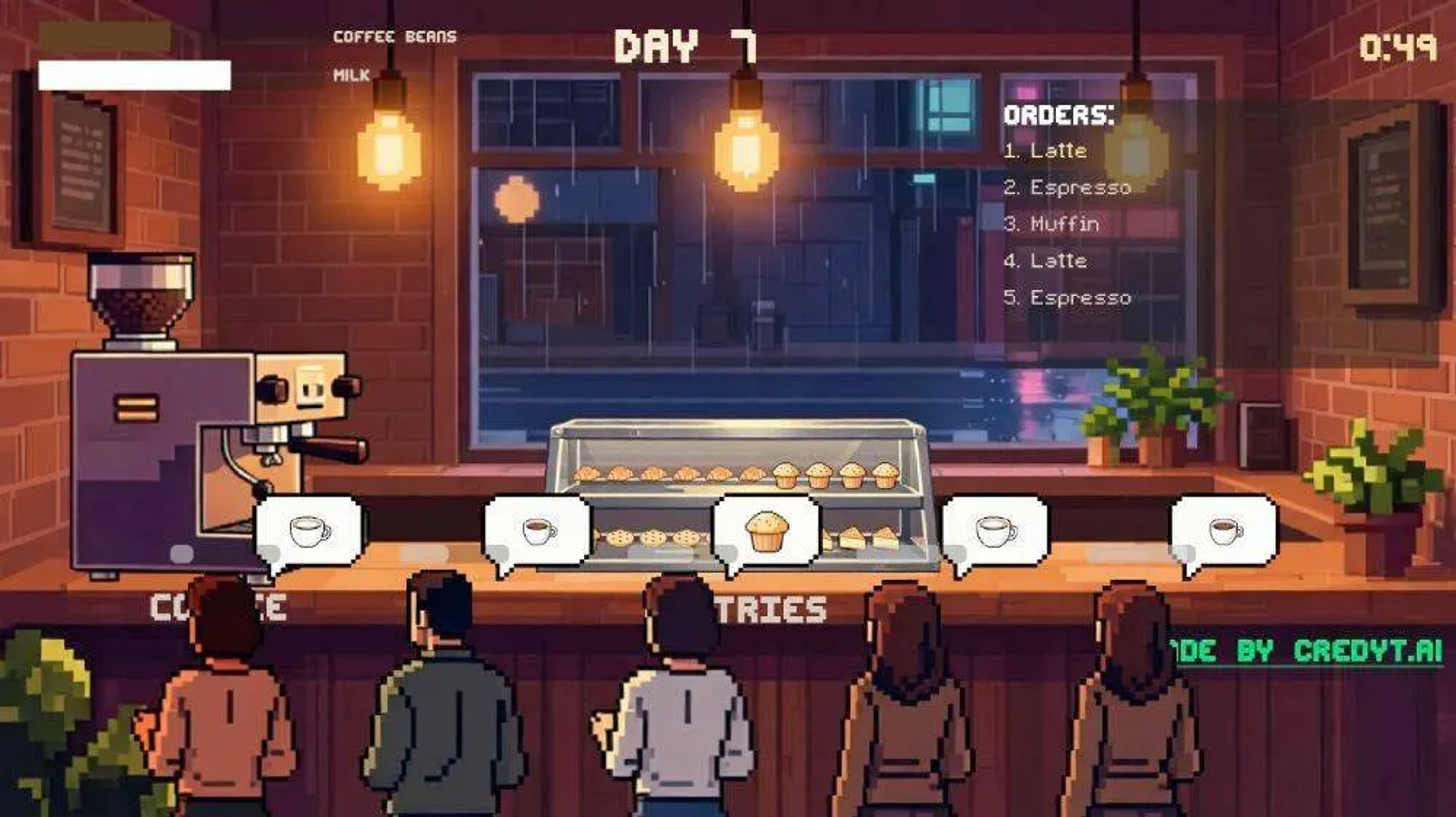
In the end, I had a game that looked like this:
The morning prep screen where you stock up on inventory for your coffee shop. The prices shown come from the Credyt products endpoint.
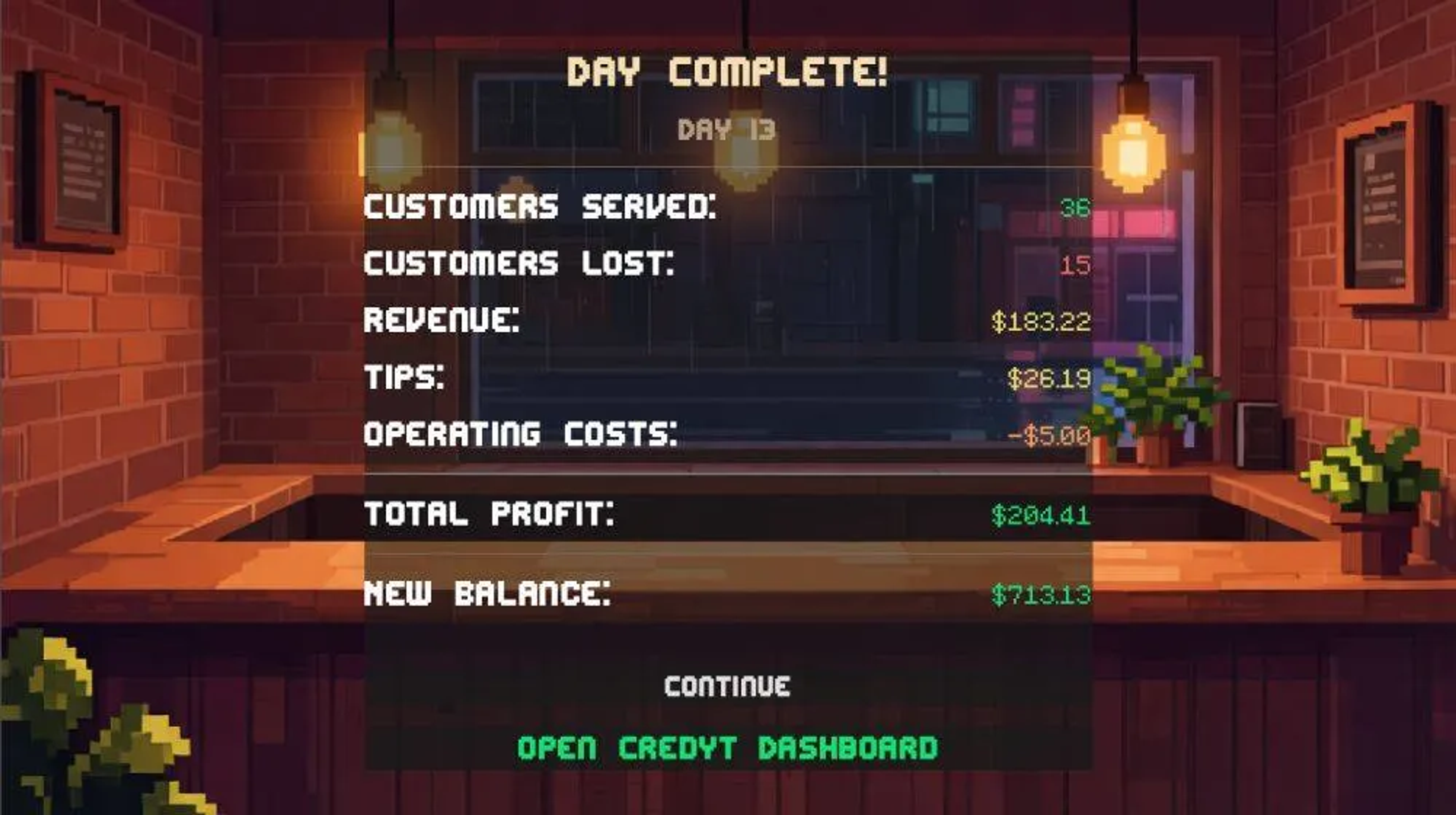
Credyt dashboard
Because this uses Credyt's API under the hood, you can click through to the customer portal and see all the events and top-ups that have been sent through.
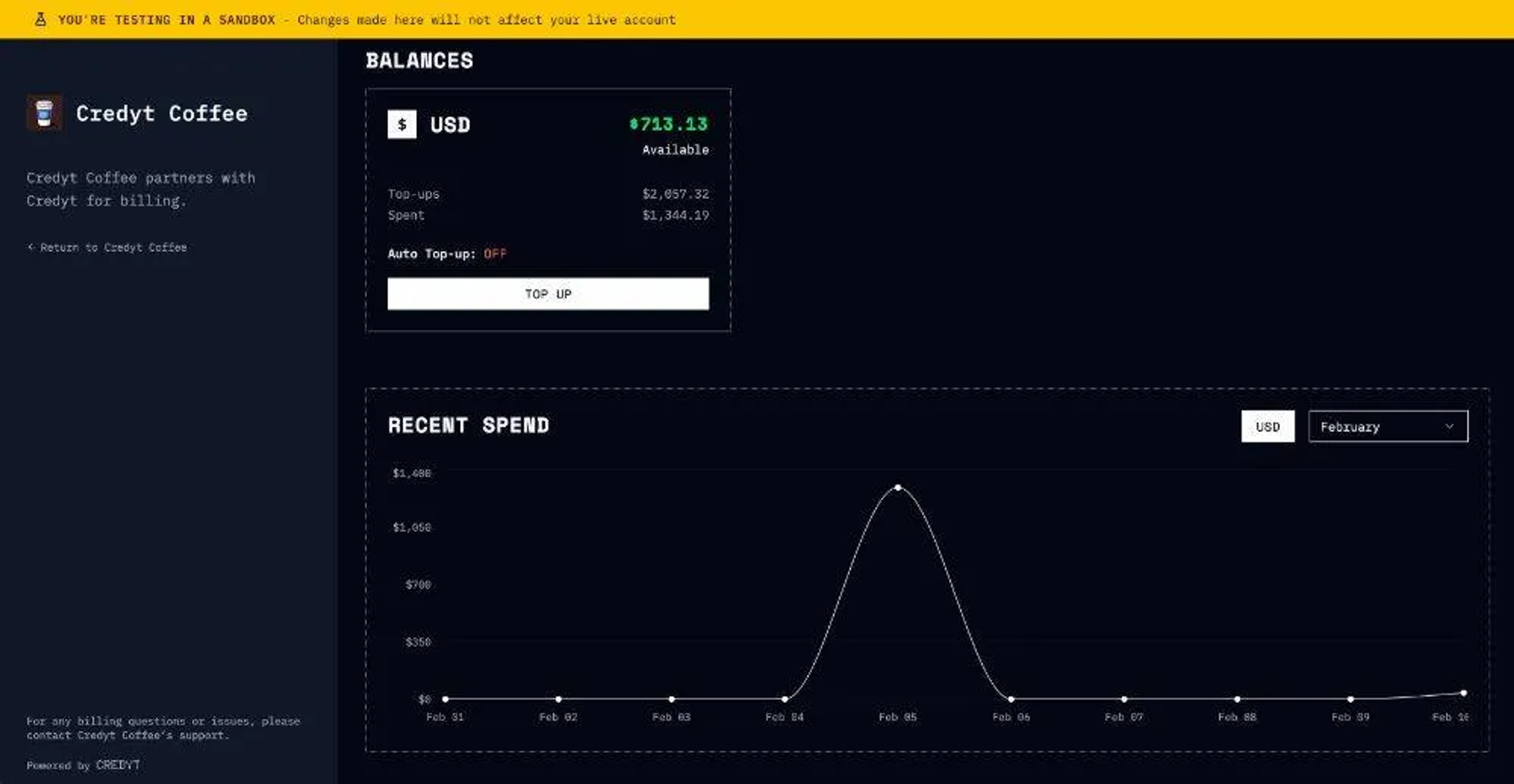
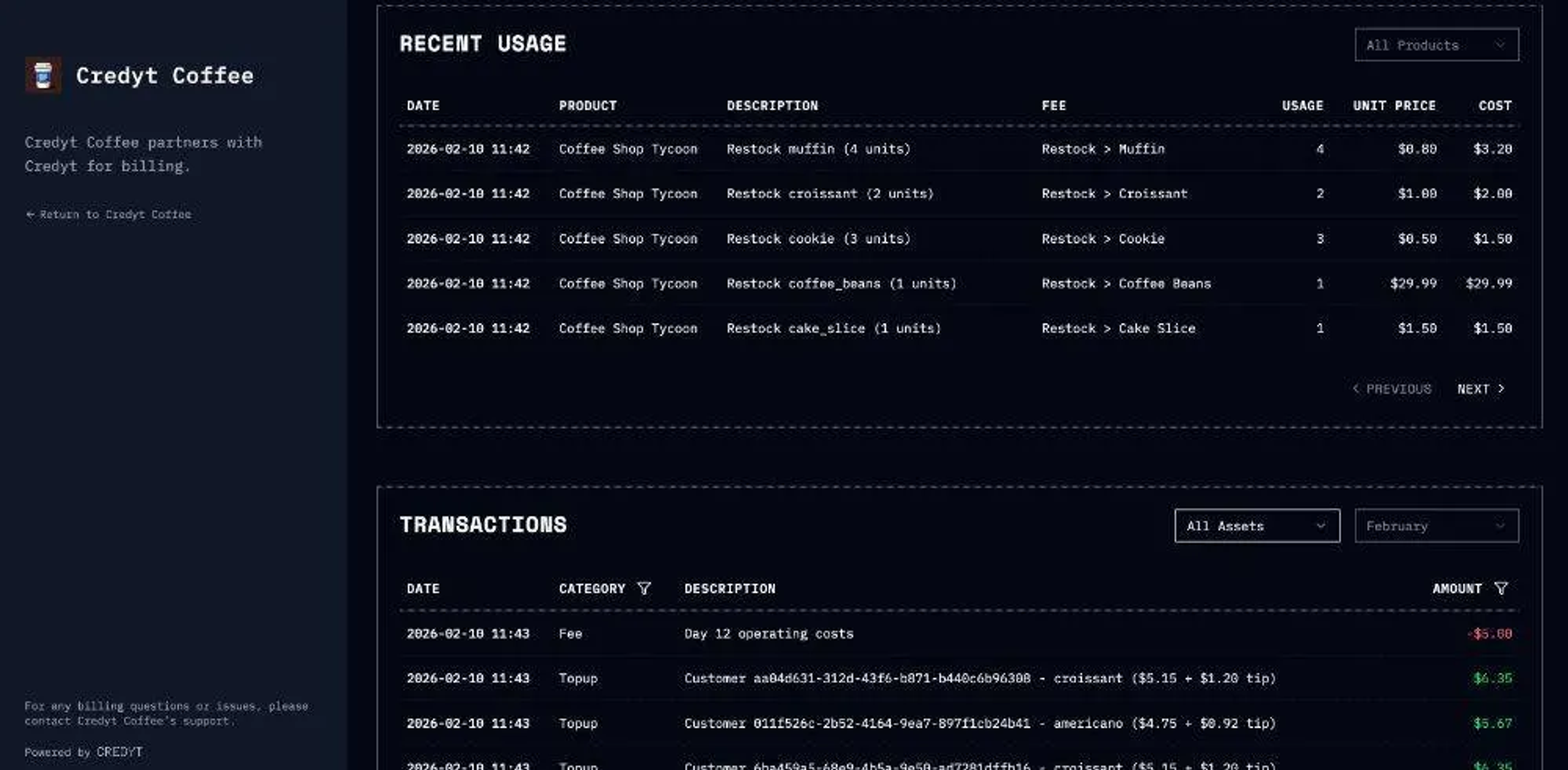
The game is set up using a test account with top-ups using Stripe.
As with all great games, there are cheats you can use to progress quicker. If you want to upgrade your equipment, you can use the customer dashboard to top up your account using the test card 4242 4242 4242 4242.
The code is available on GitHub if you wanted to have a look, or you can check out the hosted version here.
See how Credyt powers prepaid wallets and credits for AI products.
For another build on the same primitives, see scaling FLUX.2 with vLLM and Credyt.